
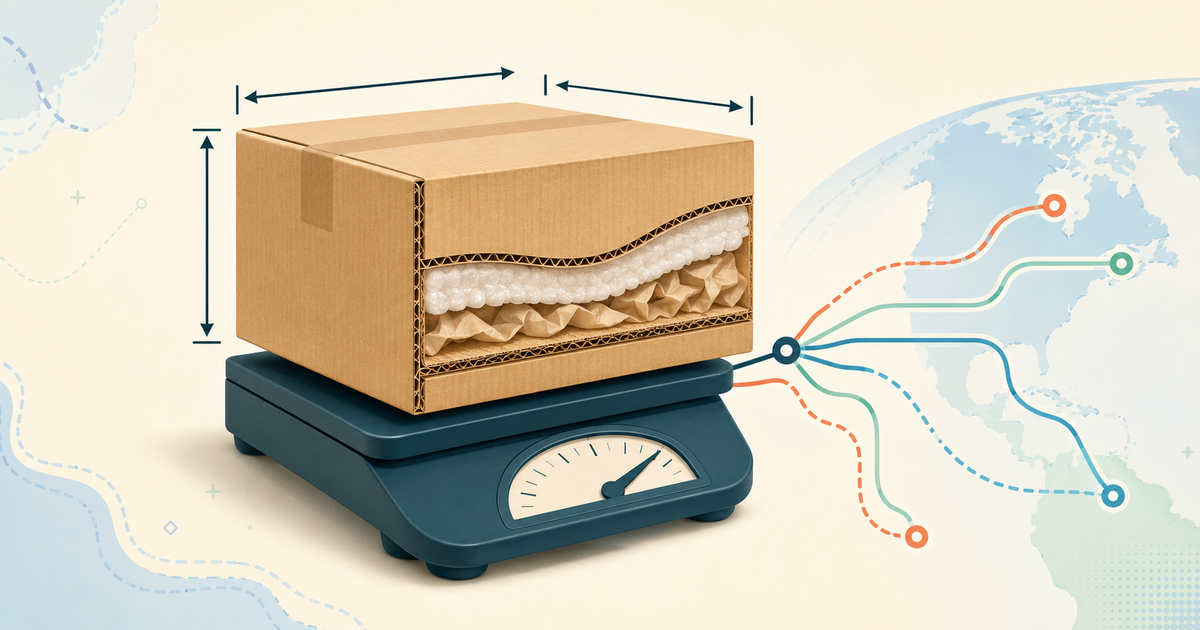
To estimate Hubbuy shipping, enter the destination, weight in grams, product category and outer parcel dimensions in the official calculator. Save the inputs alongside the result. A quote without those inputs is hard to compare and cannot establish what your own parcel will cost. This tutorial explains a repeatable comparison, including three hypothetical weight scenarios. It does not publish a price per kilogram or promise a delivery time.
Start with the official calculator and one destination
Open the official shipping estimator linked below. Choose the country where this particular parcel will be delivered. Do not compare a result for Brazil with a screenshot for Germany or the United States: destination and available services are part of the quote. Confirm any more specific address information requested by the current interface. Save the date so you can distinguish a current result from an older estimate.
The public form checked for this guide asks for weight in grams and dimensions in centimetres, with a product-category field. Its common-product shortcuts are useful starting assumptions, not measurements of your purchase. A preset shoe or hoodie cannot account for the model, size, quantity, retail box or protective packaging of the goods you actually order.
Convert kilograms to grams before entering weight
One kilogram is 1,000 grams. Enter 1000 for a 1 kg scenario, 3000 for 3 kg and 5000 for 5 kg. Typing 3 into a field labelled grams describes three grams, not three kilograms. If the warehouse gives several weights, identify whether each refers to one item, the goods combined, or the final packed parcel. These values answer different questions.
Before warehouse arrival, use a clearly labelled estimate and leave room in your budget for uncertainty. Once a packed measurement is available, replace the estimate. Do not add an arbitrary fixed percentage and present it as a Hubbuy requirement. Packaging, the number of boxes and the mix of products can change the difference between product weight and parcel weight.
Measure the outside of the finished package
Length, width and height should describe the outer package used for the quotation. Measure in the same unit across all three fields. A garment folded on a table is not the final parcel, and several individual boxes cannot always be represented by adding their longest edges. Ask for packed dimensions when that information is needed for a meaningful comparison.
A light but bulky parcel may face a dimensional-weight rule. Check the chosen route for its actual calculation, minimum charges, rounding and maximum dimensions. The arithmetic below uses a hypothetical divisor only to explain how volume changes a comparison. It is not a statement that Hubbuy or every available carrier uses that divisor.
Understand chargeable weight with a labelled example
For this example only, suppose a route compares actual kilograms with length × width × height in centimetres divided by 6,000, then charges on the larger number before applying its own rounding. A 40 × 30 × 30 cm box gives 36,000 ÷ 6,000 = 6 kg of dimensional weight. If its actual weight is 3 kg, this hypothetical rule would use 6 kg before rounding.
Now imagine a permitted packing change produces 40 × 30 × 20 cm without harming the goods. The dimensional calculation becomes 4 kg. This explains why changing volume can matter even when the scale reading barely moves. It does not establish the monetary saving: the real route may use another divisor or another charging method, and packing services may have a cost.
Compare 1 kg, 3 kg and 5 kg without inventing prices
Use these three practice cases with the same hypothetical divisor of 6,000: A is 1 kg and 25 × 20 × 10 cm, giving 0.83 kg by volume and 1 kg before rounding. B is 3 kg and 40 × 30 × 20 cm, giving 4 kg by volume and 4 kg before rounding. C is 5 kg and 40 × 35 × 30 cm, giving 7 kg by volume and 7 kg before rounding.
The examples deliberately change both weight and dimensions because a heavier shopping basket is often a different package. They are not measurements of real customer parcels or live freight offers. Enter your own plausible or measured values in the official form. Record the resulting service, currency, amount and conditions instead of converting these examples into a universal cost per kilogram.
Keep the comparison conditions consistent
A useful comparison changes one decision at a time. For a box-removal decision, hold destination, goods, service level and other options constant where possible, then compare the permitted packed alternatives. For a carrier decision, hold the package inputs constant and inspect the services that accept those inputs. Otherwise a lower number can simply represent a different shipment.
Record what each displayed amount includes. Optional protection, insurance, repacking, payment charges or destination collection may be separate. Check the live route description rather than inferring coverage from a short name. Save the estimate before applying a promotion and note whether any discount actually applies to your account and chosen parcel.
Treat missing routes as a question about inputs
If no route appears, first recheck country, units, dimensions and product category. A typing error or unsupported parcel profile can change the results. Read any explanation shown by the form. If the inputs are correct, ask Hubbuy which characteristic prevents a quote and whether a permitted packaging or parcel change would make a suitable route available.
Do not change the declared category to obtain a cheaper result that no longer describes the goods. A calculator result does not override carrier acceptance rules. If one unusual item restricts a mixed parcel, compare compliant separate shipments before buying more goods. The relevant question is whether the proposed shipment can actually use the service.
Reconcile the estimate with the warehouse quote
When the final price differs, compare the old and new records field by field. Did packed weight increase? Did a shoe box change the dimensions? Was the route replaced? Did an option, currency or discount change? Ask for the specific difference instead of assuming a single hidden fee. Several small changes can combine into a noticeable amount.
A useful message is: My saved estimate used this destination, category, weight, dimensions and route. The packed quote uses these values. Please explain the changed field and any separate charge. Keep account identifiers inside the support conversation. This creates an answerable request and avoids sending unrelated personal information in public screenshots.
Build a delivered-cost budget separately
The international freight estimate is only one part of the purchase. Keep product cost, delivery to the warehouse, current optional charges, international freight and possible destination charges in separate rows. This prevents paying for the goods from consuming the money reserved for shipping. Convert the rows into your budget currency using a clearly dated assumption.
For a first order, consider whether a smaller basket gives enough information about sizing, buying and delivery to justify its overhead. A larger combined parcel can spread some costs but can also add volume or limit routes. Compare complete eligible scenarios; do not buy an extra item merely because a calculator appears to offer a lower average shipping cost.
Save a quote record you can reuse
Keep the date, destination, product category, packed or estimated status, weight, three dimensions, route, currency and total together. Add a short note identifying what remains unknown. When you return to the calculator, refresh the uncertain fields and compare the new result against the same record rather than a cropped price screenshot.
Before payment, confirm the parcel contents, address, packaging instruction and current route terms in the live Hubbuy interface. This guide explains how to prepare and compare inputs. The current platform quotation and applicable service rules determine the available shipment. Continue with the parcel checklist below once the goods have passed QC and the package is ready.