
To understand a Hubbuy price in Brazilian reais, separate the item amount, displayed currency, exchange rate applied at payment, and costs arising at other stages. A quick multiplication helps you estimate, but the final debit depends on the conversion actually offered.
Convert each payment, not an imaginary total
Use the formula foreign-currency amount × conversion rate = reference amount in reais. Then add only charges actually shown for that transaction. Make one calculation for the product order and another for the international parcel. This avoids mixing amounts paid on different dates and at different exchange rates.
The result remains an estimate until the authorization screen. Do not publish or rely on a “fixed Hubbuy rate” without checking the active interface.
Identify the unit before calculating
Read the currency symbol and code in the listing, order summary, and payment screen. CNY, USD, and BRL are different units. A page may show a reference in one currency and the next charge in another. Save a screenshot with the amount, currency, stage, and time.
If the spreadsheet shows an approximate dollar price and the original listing uses yuan, return to the live page. The selected option may have a different price. The starting price also does not automatically include shipping within China, the international parcel, or destination charges.
Use a reference rate to plan and the final screen to decide
A public exchange rate helps compare scenarios, but it does not guarantee the commercial rate offered by your card, bank, or wallet. Record the rate used and its date. At authorization, compare the foreign-currency amount, converted amount, stated rate, and any separate charge.
Brazil's Central Bank states that, for international credit-card purchases, the applicable conversion rate is the institution's rate on the day the spending actually takes place. As a result, a generic calculator and the card statement can differ without the difference necessarily being an error in the listing.
Organize costs by purchasing stage
- Order: product, variant, and shipping from the seller to the warehouse.
- Warehouse: only optional services you actually select and for which a price is displayed.
- Parcel: packaging, chargeable weight, route, and international shipping.
- Payment: conversion, fee, or charge shown by the provider.
- Destination: applicable taxes or charges, without assuming an exemption.
Do not add coupons, fees, or taxes based on old posts. Use separate lines and mark amounts as “to be confirmed” when they are not yet available.
Check who is performing the conversion
Conversion may be offered by the website, payment provider, or issuer. Compare the available options for the same transaction at the same time. The name of the payment method alone does not determine the lowest cost.
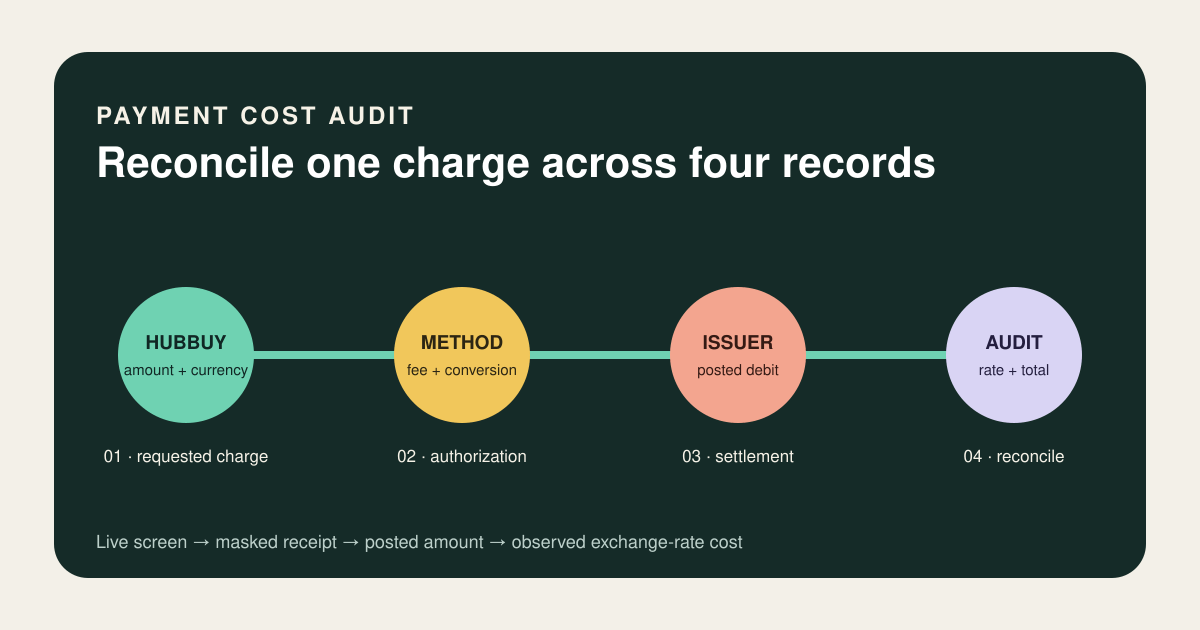
Once the purchase is posted, compare the final debit with the authorization record. Divide the amount in reais by the foreign-currency amount to obtain the observed rate, and note separate charges. Keep only masked receipts, without a full card number or access details.
Compare complete quotes on the same basis
Create a small table showing payment method, charged currency, foreign-currency amount, proposed amount in reais, separate charges, and total. If an option does not show the total, do not invent it. A lower percentage fee can result in a larger debit when the exchange rate or fixed charge is worse.
To estimate the delivered cost, connect this calculation to the Hubbuy shipping guide. The product and international shipping are separate decisions.
Keep a simple audit trail through to the statement
Save the order, currency, time, authorization screen, masked receipt, and final posted transaction. Together, these records help identify whether a difference came from the variant, purchasing stage, exchange rate, fee, or another charge. Without this separation, any total can seem unexpected.
Hubbuy's public workflow and the Central Bank's currency-conversion guidance were checked on 9 September 2026. This page does not publish a permanent rate or replace your provider's offer.
Hubbuy · Central Bank of Brazil
Search for a product in the catalogue
Use search as a starting point, then check the live listing, variant, and price before deciding.