
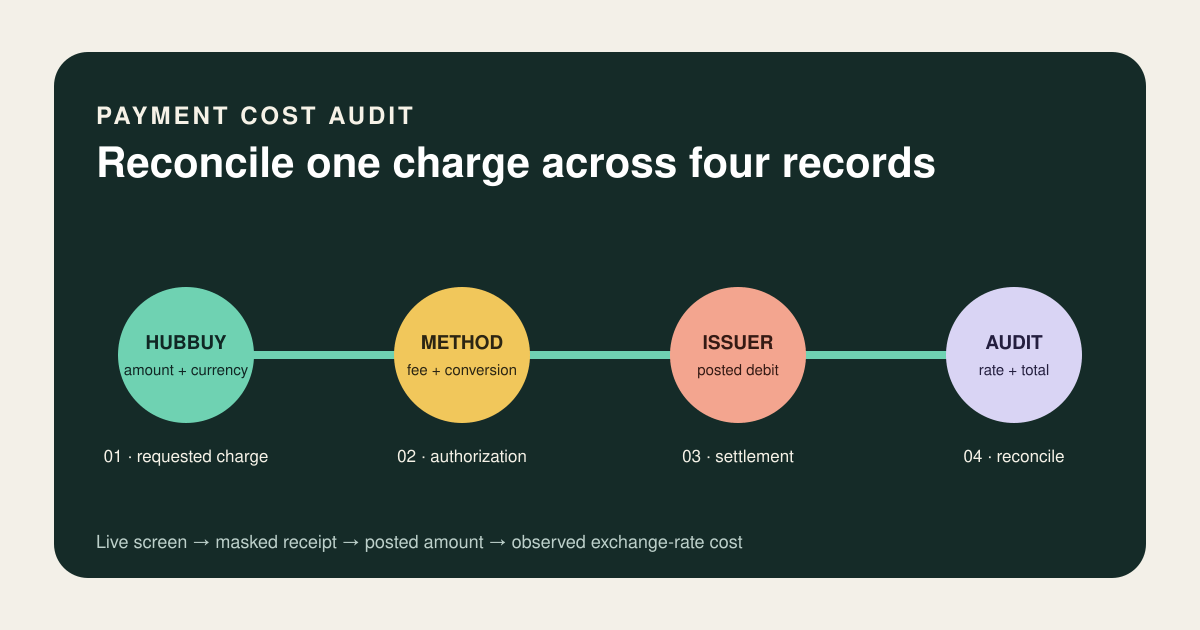
A payment method is not just a logo at checkout. The useful comparison is the complete path from the amount Hubbuy requests to the final amount posted by your card, wallet or bank.
Research note: Hubbuy’s public homepage was checked on 28 August 2026. It displayed a USD currency selector and marks for PayPal, Visa, Mastercard, Discover and Diners Club, but the public pages reviewed did not state one permanent fee schedule or exchange-rate formula. Availability, charges and currency can vary by account, country and payment stage, so this guide teaches a transaction-level audit instead of publishing an unverified percentage.
Compare the final payable amount, not the payment logo
Before authorizing a Hubbuy payment, identify what you are paying for, the amount and currency Hubbuy displays, any separately shown platform or payment charge, the currency offered by the payment provider and the final amount your issuer will post. Capture those fields at the same moment. A lower-looking percentage can still produce a higher debit when the conversion rate or a fixed charge is worse.
Keep order-stage and parcel-stage payments separate. Hubbuy’s current public workflow places the product price and China shipping in the first payment, then international shipping after warehouse processing. Comparing two receipts without naming the stage can make a legitimate difference look like a duplicate fee.
Use the live authorization screen for the decision and the final posted debit for the audit. A homepage logo, an estimate or another buyer’s screenshot is not your transaction price.
Read payment marks as candidates, not universal promises
The Hubbuy homepage displayed PayPal and four card-network marks—Visa, Mastercard, Discover and Diners Club—during this check. It also showed USD in the site currency control. These are useful current signals, but they do not establish that every method supports every country, card type, account, currency, order value or parcel transaction.
The public page did not provide a universal service-fee percentage, wallet fee, card surcharge or exchange-rate markup for this article. That missing information is a boundary, not an invitation to copy a rate from a forum. Label any unshown cost “unknown until checkout.”
Name the underlying charge before comparing methods
If a method is offered at more than one stage, compare it again. Availability and cost at product checkout do not prove the same result for international shipping. The Hubbuy shipping-cost guide explains why the parcel quote should be assessed separately from payment conversion.
Save six fields before clicking Pay
Record the transaction purpose, Hubbuy reference, Hubbuy amount, displayed currency, chosen method and every visible fee line. Then record the provider’s proposed billing amount and currency. If the provider offers currency choice, preserve both options before selecting one. Do not enter card details into an unofficial page or follow a payment link sent through an unverified message.
- Stage: product order, China shipping, warehouse service or international parcel.
- Platform amount: exact number and currency immediately before authorization.
- Visible charges: named percentage, fixed fee or other line, if shown.
- Provider amount: wallet or card authorization amount and currency.
- Time: timestamp, because exchange treatment can depend on authorization or processing.
- Final result: posted debit, refund or reversal after pending status clears.
Mask sensitive information in saved screenshots. Keep the last four digits or a non-sensitive transaction reference if needed, but exclude the full card number, security code and account credentials.
Calculate an observed rate from the actual transaction
If the Hubbuy charge is represented in CNY and your provider proposes a billing amount in another currency, divide the billing amount by the CNY amount. The result is the observed billing-currency cost per CNY for that authorization. If a payment fee is separately itemized, calculate the rate before that fee and then add the fee to the total.
This number is an audit tool, not proof of who set the rate. A platform, wallet, card network or issuer can control different parts of the path. Visa’s public calculator describes its result as an indication of the rate a cardholder may receive. Mastercard’s public converter likewise says its result is indicative, can include an entered bank fee and may differ when the merchant converts the transaction or the issuer adds charges.
Compare like with like: same currency pair, same date, same amount and the same inclusion or exclusion of fees. A market quote from a search result is not automatically the rate available to a retail card transaction. Ask the issuer about a separately posted foreign-transaction charge; do not attribute it to Hubbuy without evidence.
A transparent calculation exposes hidden assumptions
Suppose an order-stage payment represents CNY 800. Option A proposes a USD 115.20 debit with a separate USD 2.00 fee. Option B proposes USD 118.00 with no separate line. These figures are illustrative and are not Hubbuy rates or quotes.
Option A’s observed pre-fee rate is 115.20 ÷ 800, or USD 0.144 per CNY; its proposed total is USD 117.20. Option B’s observed rate and total are USD 0.1475 per CNY and USD 118.00. On these inputs, A is USD 0.80 lower. If A later receives a separate USD 3 issuer fee, however, its posted total becomes USD 120.20 and the result reverses.
The example shows why “no fee” is incomplete. The correct comparison is the full posted cost attached to the same CNY obligation. It also shows why a card-network calculator cannot replace your receipt: the issuer and conversion path still matter.
Reconcile pending, posted and refunded amounts
Wait until the transaction posts before calculating the final difference. A pending authorization can be replaced, adjusted or released. Match the posted amount to the Hubbuy receipt and any wallet record. If the figures differ, isolate the layer: changed platform amount, provider conversion, issuer conversion, foreign-transaction fee or another named charge.
If the order itself is wrong after warehouse QC, use the return and exchange evidence guide. A payment audit proves money movement; it does not prove which product the seller shipped.
Authorize only when the transaction can be reconstructed
- Name the payment stage and Hubbuy reference.
- Record the platform amount, currency and every visible charge.
- Confirm which methods are actually offered for this transaction.
- Record the provider’s billing amount, currency and conversion choice.
- Compare total proposed debits, not isolated fee percentages.
- Keep a masked receipt and authorization timestamp.
- After posting, calculate the observed rate and add separate issuer charges.
- Reconcile any refund in both the transaction and billing currencies.
The aim is not to predict a permanent cheapest method. It is to make one current payment understandable before authorization and auditable afterward. When a fee or rate is absent, preserve that uncertainty and decide from the live screen.
Clear answers, without filling gaps with guesses
Which Hubbuy payment methods are available?
The public homepage displayed PayPal, Visa, Mastercard, Discover and Diners Club marks on 28 August 2026. These are current signals, not a guarantee for every country, account or payment stage; the live payment screen decides.
Does Hubbuy publish a fixed payment fee?
No fixed universal payment fee was visible on the public pages checked for this article. Confirm the amount, currency, payment-method charge and any other line shown on the actual authorization screen. Do not reuse a percentage from an old screenshot or another user.
How can I calculate the Hubbuy exchange rate?
Divide the amount actually charged in your billing currency by the Hubbuy amount represented in CNY for the same transaction. Record both figures and the time. This observed rate includes only costs embedded in those two amounts; separately listed card, wallet or bank fees must be added separately.
Why can my final card debit differ from the Hubbuy screen?
An issuer or wallet may apply its own conversion timing or charge, and a pending authorization can settle differently. Compare the posted debit with both receipts before labeling the difference.
Hubbuy’s public homepage and buying-stage description were checked on 28 August 2026. Its visible USD control and PayPal, Visa, Mastercard, Discover and Diners Club marks support only the current public-option summary above. Visa and Mastercard public currency tools were checked the same day for conversion boundaries. No fixed Hubbuy fee, markup, rate, payment guarantee or refund timing is inferred.
Ready to research a live product?
Use the catalog to find a lead, then confirm the individual seller listing before making a decision.
See the calculation, interface logic and exact official section
These additions separate three things that are often mixed together: what Hubbuy states publicly, the example used to explain a decision, and the live account data that must still be checked at transaction time.
The official policy labels visible in Hubbuy’s footer may lead to account-gated help content. This article does not claim that a login-only rule was independently verified from a public page. For transaction-specific restrictions, use the live order or parcel interface and current official support.